
Start the conversation before your client sits down. SalonBridge lets you create consultation forms, intake questionnaires and consent forms, share them with clients, and keep their responses available for your team. Clients can complete and sign on their phone, tablet or computer.
Get ready for every appointment with digital client forms
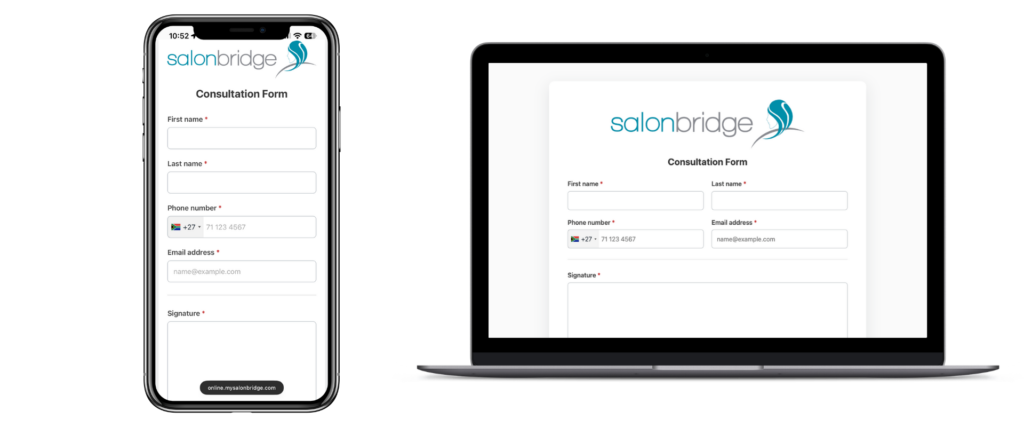
Ask the questions that matter to your business
Build forms directly in SalonBridge using your own wording, logo and colours. Combine short answers, detailed responses, dates, dropdowns and checkboxes to collect the information you need. Make essential questions required and add a signature field where appropriate.
Create different forms for a first visit, treatment consultation, patch-test record, aftercare acknowledgement or client feedback. You decide what to ask and how the form should look.
Keep responses close to the client record
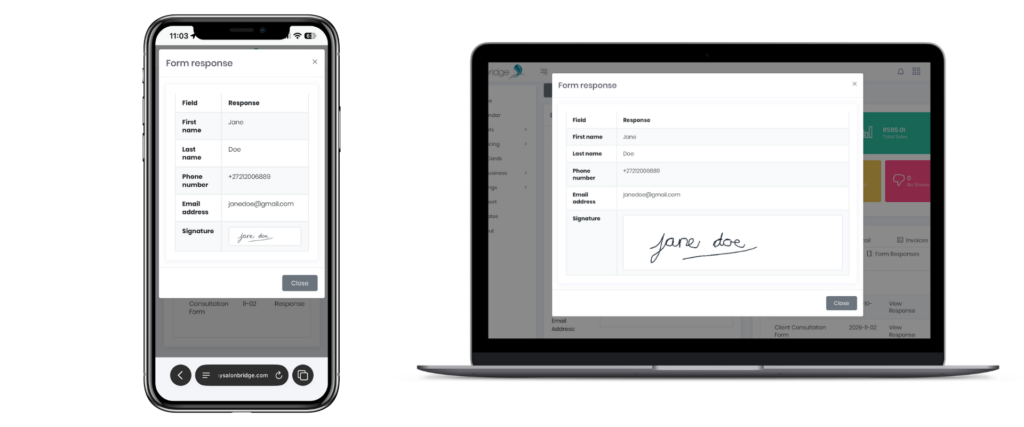
When a client completes a form through their SalonBridge client-specific link, the response is linked to their profile automatically. Open their Form Responses tab to view their answers and signature, or review responses from the form itself.
Questions about digital forms
No. You can create native forms inside SalonBridge. If your business already uses JotForm, the integration remains available for managing linked forms and responses.
Yes. Add your own questions, explanatory text, required fields and signature field to suit the information you need to collect.